For many developers, web hosting is not just about uptime and speed — it’s also about how easily you can access the server and build things.
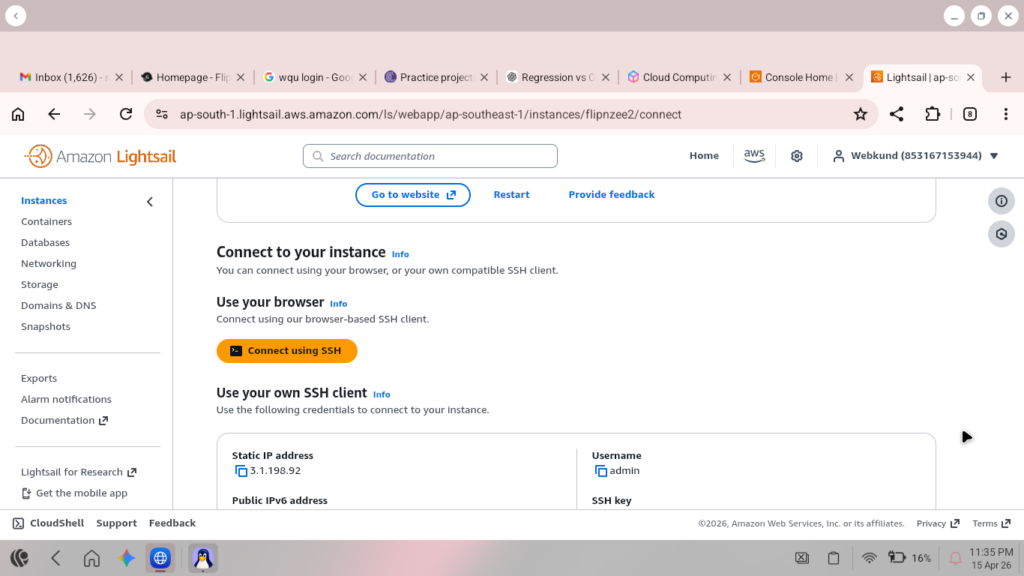
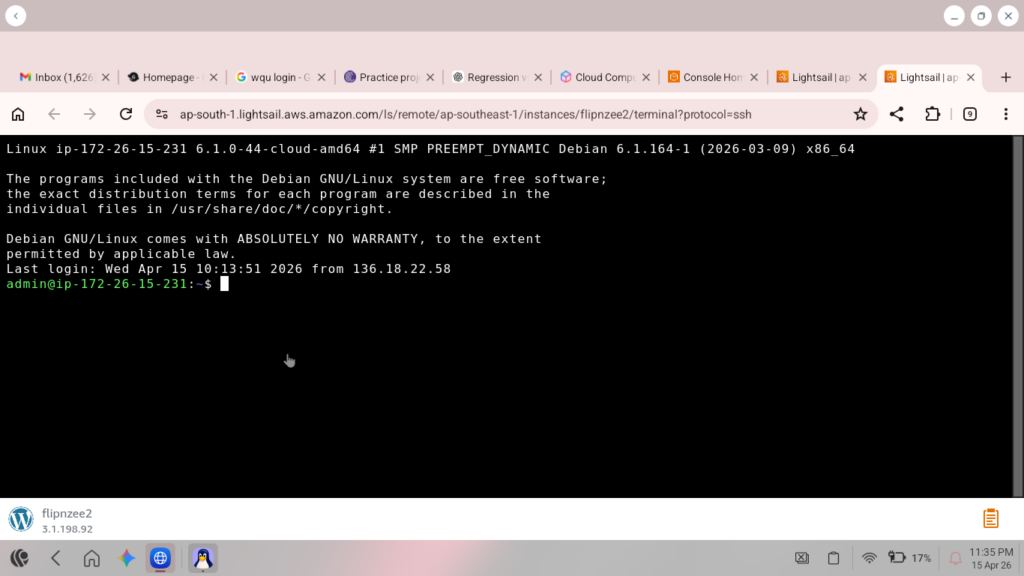
If you’ve used Amazon Web Services AWS Lightsail, you may have noticed one major convenience: browser-based SSH access. With a single click, you can open a terminal in your browser and start coding, managing files, installing packages, or configuring your server.
That raises an important question:
Do managed WordPress hosts like WP Engine, Kinsta, Cloudways, GoDaddy, Namecheap, Bluehost, and Liquid Web offer the same browser terminal experience?
Let’s break it down.
Why Developers Love Browser-Based SSH
SSH (Secure Shell) gives direct command-line access to your server. For developers, that means you can:
- Edit code quickly using nano or vim
- Run Git commands
- Restart services
- Manage databases
- Install software
- Automate tasks
- Learn Linux server administration
With browser SSH, you don’t even need PuTTY or Terminal installed locally.
That’s why many users find AWS Lightsail especially attractive.
Hosting Providers Compared
1. AWS Lightsail – Best for Browser SSH Lovers
AWS Lightsail offers:
- One-click browser SSH terminal
- Full server access
- Root privileges
- Easy WordPress or Ubuntu deployment
- Low monthly pricing
This makes it ideal for:
- Developers who enjoy Linux
- Coders who prefer terminal workflow
- Learning DevOps
- Hosting custom apps like Flask or Django
Best For:
Hands-on developers who want maximum freedom.
2. WP Engine – Premium Managed Hosting
WP Engine is excellent for WordPress, but it focuses more on managed convenience than raw server control.
Typically offers:
- SSH Gateway access
- Git integration
- Staging environments
- Automatic backups
- Security optimizations
However, it does not feel as open or instant as Lightsail browser SSH.
Best For:
Businesses, agencies, and client WordPress sites.
3. Kinsta – High-End Managed Hosting
Kinsta is known for premium performance and support.
Includes:
- SSH access
- MyKinsta dashboard
- Staging tools
- Strong caching and backups
Excellent for professionals, but not designed for full server tinkering.
Best For:
Serious WordPress businesses.
4. Cloudways – Great Middle Ground
Cloudways is often a favorite among developers because it combines managed hosting with more flexibility.
Usually includes:
- SSH/SFTP access
- Server controls
- Choice of DigitalOcean, Vultr, AWS, Google Cloud
- Easy deployments
Best For:
Developers who want convenience + flexibility.
5. Shared Hosts: GoDaddy, Bluehost, Namecheap
These providers often offer SSH on select plans, but limitations may apply.
You may get:
- cPanel terminal
- Limited shell access
- Shared resources
- Simpler environments
Best For:
Beginners and budget projects.
6. Liquid Web – Strong for Serious Infrastructure
Liquid Web is known for VPS, dedicated servers, and WooCommerce hosting.
Often includes:
- Strong SSH access
- Managed server options
- High-performance plans
Best For:
Agencies and advanced users.
Quick Comparison Table
| Provider | Browser SSH | Full Server Freedom | Managed Convenience | Developer Appeal |
|---|---|---|---|---|
| AWS Lightsail | Excellent | High | Medium | High |
| WP Engine | Moderate | Low | Excellent | High |
| Kinsta | Moderate | Low | Excellent | High |
| Cloudways | Good | Medium | High | Very High |
| Bluehost | Limited | Low | Medium | Moderate |
| Namecheap | Limited | Low | Medium | Moderate |
| GoDaddy | Limited | Low | Medium | Low |
| Liquid Web | Good | High | High | High |
Which One Should You Choose?
Choose AWS Lightsail if you love:
- Coding directly on server
- Browser SSH access
- Linux control
- Lower costs
- Learning real infrastructure
Choose WP Engine or Kinsta if you want:
- Premium managed WordPress
- Fast support
- Automatic backups
- Client-ready hosting
Choose Cloudways if you want:
- A balance of control + simplicity
Final Thoughts
If opening a browser terminal and writing code instantly feels natural to you, then AWS Lightsail remains one of the most satisfying hosting platforms.
Managed hosts are excellent when your priority is convenience, but for developers who enjoy direct access, command-line workflows, and learning by doing, Lightsail often feels more empowering.
Sometimes the best host is not the one with the most features — it’s the one that makes you excited to build.

Leave a Reply